
Communi5 MobileControl7.3.1 - Google Play
You'll be able to see results in few seconds.
Publisher Description
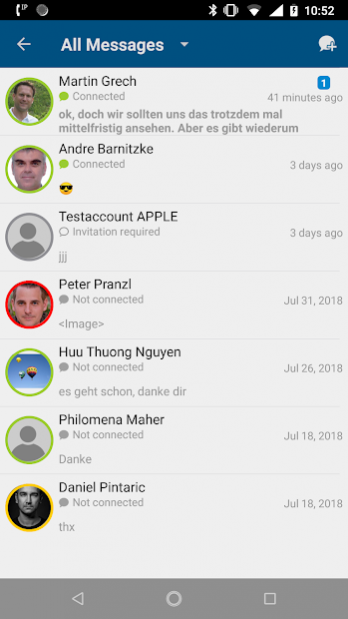
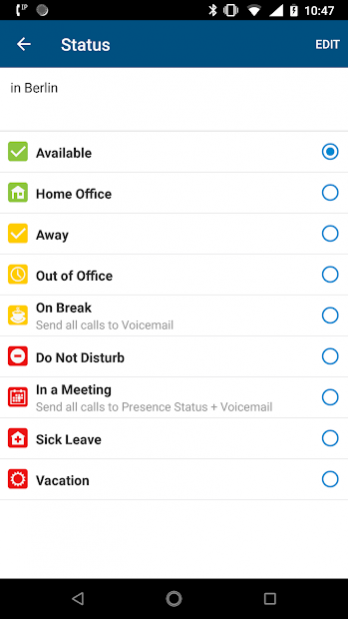
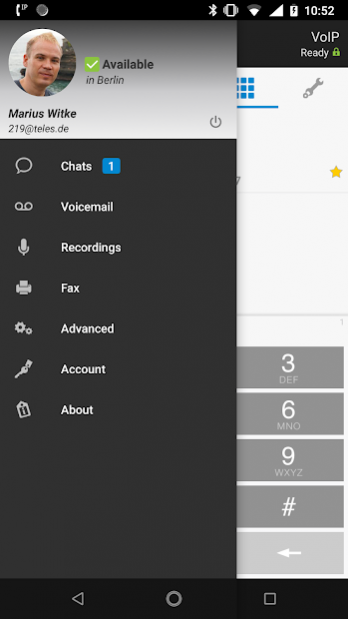
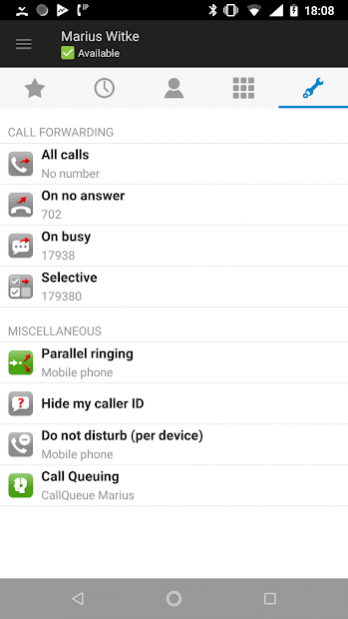
Communi5 MobileControl enables service providers to extend their existing IP centrex, Residential or business trunking offerings by adding mobility to attract new customers, profit more from existing clients or move mobile minutes to their network. Mobile communication is becoming more and more critical in business so enterprises are asking for
• seamless single-point communications
• no expensive hardware procurement or implementations
• real cuts in operational costs
TELES MobileControl combines all of this while keeping services as simple as possible, thus avoiding the need for extensive user training. The application is designed to be robust, easy to support and for real life deployments.
*****************************************************************
Note: TELES MobileControl works in conjunction with a valid user
account only. Please contact your service provider for details.
*****************************************************************
Highlights:
• Enables One Number Services
+ Callers can dial one number to reach you
+ Increases communication efficiency and productivity
• Supports Call Back/Callthrough/VoIP Service
+ Callback to mobile phone, office phone or custom phone number
+ Calltrough via IP and GSM (additional license)
+ VoIP Softphone (additional license)
+ No need to show your mobile number
+ Optimizes call charges
+ Deflect call: transfer incoming call to voice mail or reject with message
• Android dialer integration
+ calls placed through Android dialer will be done by MobileControl
• GSM Transfer (additional license)
+ transfer a GSM call to another party
• Handover (additional license)
+ Move a call on your business phone to your mobile phone by
pressing the "Get call from office phone" button.
+ Handover a WiFi call to GSM and vice versa
+ Convenient handover
• Unified Address Book
+ Automatically streams the C5 phonebook to the mobile phone
+ No need to sync company contacts
+ Adds additional information (e.g. job position, department,…)
+ Click2Dial enabled
+ Smart dialing (enter contact names or numbers and select from matching contacts)
• Presence (additional license)
+ Show Rich Presence
+ Show Line status (Talking/Free)
• Call log
Never miss a call again. Access to your PBX call log for
incoming/outgoing/missed calls.
• Call recording
+ Record calls and synchronize recording list with server
+ Listen to any recorded calls
• Feature Control Panel
+ Configure your reachability according to your needs
+ via GSM network only connectivity (additional license)
• Call queues
+ Login or logout your agent from any call queue in the server
• Visual UMS box (additional license)
+ Voicemail/Faxmail
• Extension dialing
Supported with data connectivity even in GSM network only,
using Callback, Callthrough and Direct Call modus.
• Always access your phone books
Access all your C5 server-side business contacts even there is no
data connectivity after one time synchronization over IP network.
• Contact pictures
+ Shows uploaded picture for a contact in the phone book
+ Upload your own picture to the server
• Do Not Disturb
Activate your DND (subscriber mode)
• Favorites
+ Add contacts to your favorite list
+ Sync favorites with all your devices
• Send SMS
Directly send SMS from contact details
• Supported OS
Android 4.0 and higher
About Communi5 MobileControl
The company that develops Communi5 MobileControl is Communi5 Technologies GmbH. The latest version released by its developer is 7.3.1.
To install Communi5 MobileControl on your Android device, just click the green Continue To App button above to start the installation process. The app is listed on our website since 2022-04-25 and was downloaded 0 times. We have already checked if the download link is safe, however for your own protection we recommend that you scan the downloaded app with your antivirus. Your antivirus may detect the Communi5 MobileControl as malware as malware if the download link to mobilecontrol.android.app is broken.
How to install Communi5 MobileControl on your Android device:
- Click on the Continue To App button on our website. This will redirect you to Google Play.
- Once the Communi5 MobileControl is shown in the Google Play listing of your Android device, you can start its download and installation. Tap on the Install button located below the search bar and to the right of the app icon.
- A pop-up window with the permissions required by Communi5 MobileControl will be shown. Click on Accept to continue the process.
- Communi5 MobileControl will be downloaded onto your device, displaying a progress. Once the download completes, the installation will start and you'll get a notification after the installation is finished.
Program Details
System requirements
Download information
Pricing
Version History
version 7.3.1 Build 52592
posted on 2022-04-25
* Collaboration and meetings:
- meeting and participant management
- audio and video conferences
- full screen video
- conference live view
* Call queue call logs
* Floating button to return to active call
* Chat message markup
* Local contact optimisation
* Stability and UI improvements
version 7.2.2 Build 52187
posted on 2022-01-24
- new microphone level setting
- stability improvements
version 7.2.1 Build 51901
posted on 2021-12-02
- Office 365 presence integration (Teams meetings and calls)
version 7.1.6 Build 51650
posted on 2021-09-17
- improved initial device and call mode selection
- fixes a problem for VoIP calls in mobile networks
- general stability improvements
version 7.1.5 Build 51419
posted on 2021-07-29
- provisioning of RTP media port ranges
- license conditions for instant messaging
- stability improvements
version 7.1.4 Build 51293
posted on 2021-06-11
- GSM call transfer improvements
- fixes a problem when handling system configuration events
version 7.1.1 Build 50796
posted on 2021-03-08
- improved video call handling
- new push notifications for missed calls and other events (requires VAS 7.1)
- geo-redundacy support for IM connections
- C5 location address book in contact list
version 7.0.5 Build 50296
posted on 2020-10-05
- new features Service number / Callback number in feature panel
- Mobile Office configurable via provisioning
- new CFx target for fallback number
- settings cleanup (no more manual user pictures and presence setting)
- removed H.264 video codec
- report caller id on Bluetooth connections for incoming calls
- security hardening for internal services
- bug fixes and stability improvements
version 7.0.2 Build 50042
posted on 2020-07-28
- resolves a problem when ringing the phone while in an active GSM call
version 7.0.1 Build 49845
posted on 2020-06-04
- dark mode support
- faster startup on incoming calls via push notifications
- copy-paste indicator in dialer
- support MS Teams device in DND settings
- stability and usability improvements
Disclaimer
Official Google Play Link
We do not host Communi5 MobileControl on our servers. We did not scan it for viruses, adware, spyware or other type of malware. This app is hosted by Google and passed their terms and conditions to be listed there. We recommend caution when installing it.
The Google Play link for Communi5 MobileControl is provided to you by apps112.com without any warranties, representations or guarantees of any kind, so access it at your own risk.
If you have questions regarding this particular app contact the publisher directly. For questions about the functionalities of apps112.com contact us.
